

Log in plain language
Same idea as the app’s examples: “2 eggs, 2 slices toast”, “ran 5k in 28 min”, “500ml water”, or “weighed in 78.2”. No hunting through databases first.
Coaching from what you logged, not generic tips
One line about food, water, a workout, or your weight. Sidekick parses it, fills your dashboard for that day, and carries the thread into weekly stats and tips you can use.
How it thinks
Product
A dashboard for whichever day you are on, a stats view for the week, goals you can tune, optional meal reminders, and AI that parses entries and writes coach notes from your data.
Same idea as the app’s examples: “2 eggs, 2 slices toast”, “ran 5k in 28 min”, “500ml water”, or “weighed in 78.2”. No hunting through databases first.
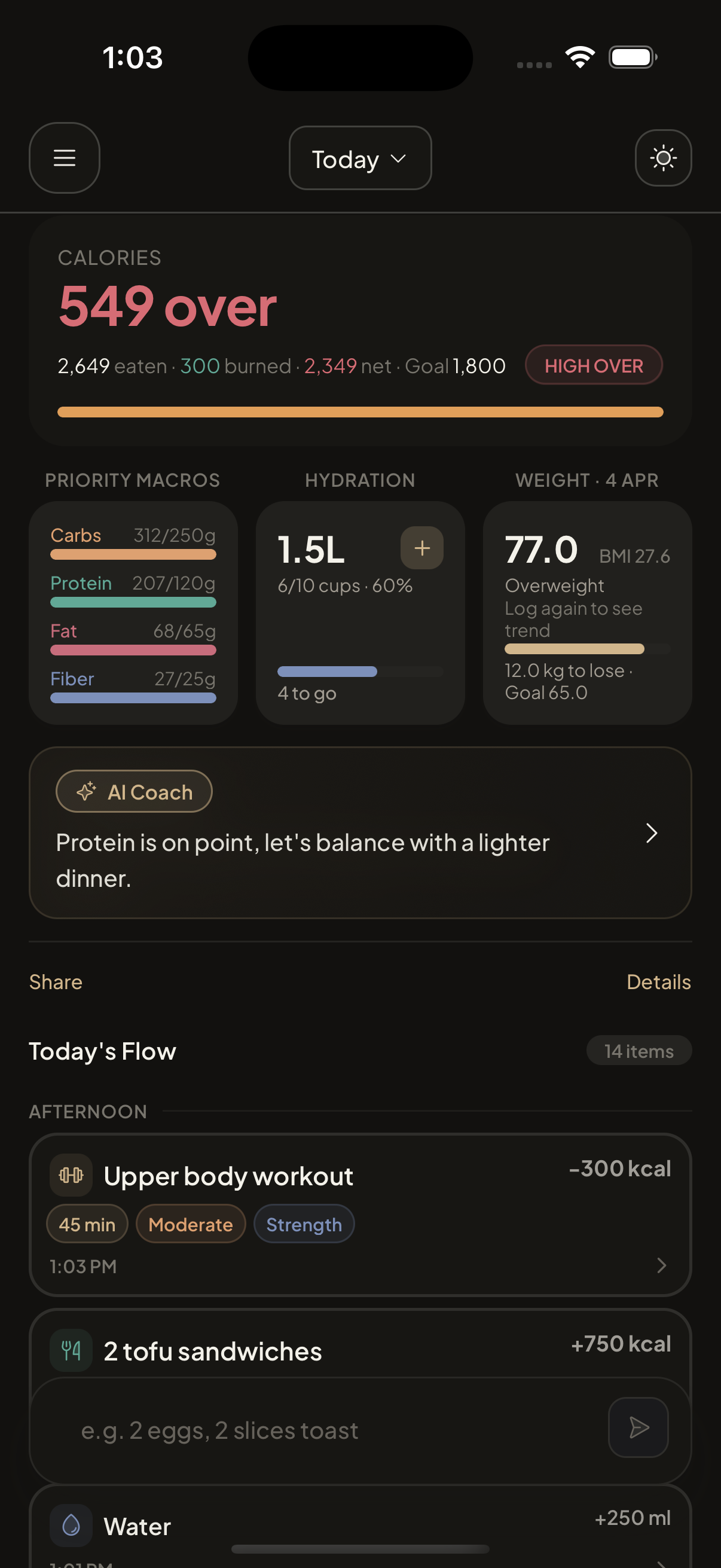
Net calories against your goal, macro and fiber progress bars, hydration with quick add and subtract, weight context, coach copy with bullets, and an activity feed grouped from early morning through night.
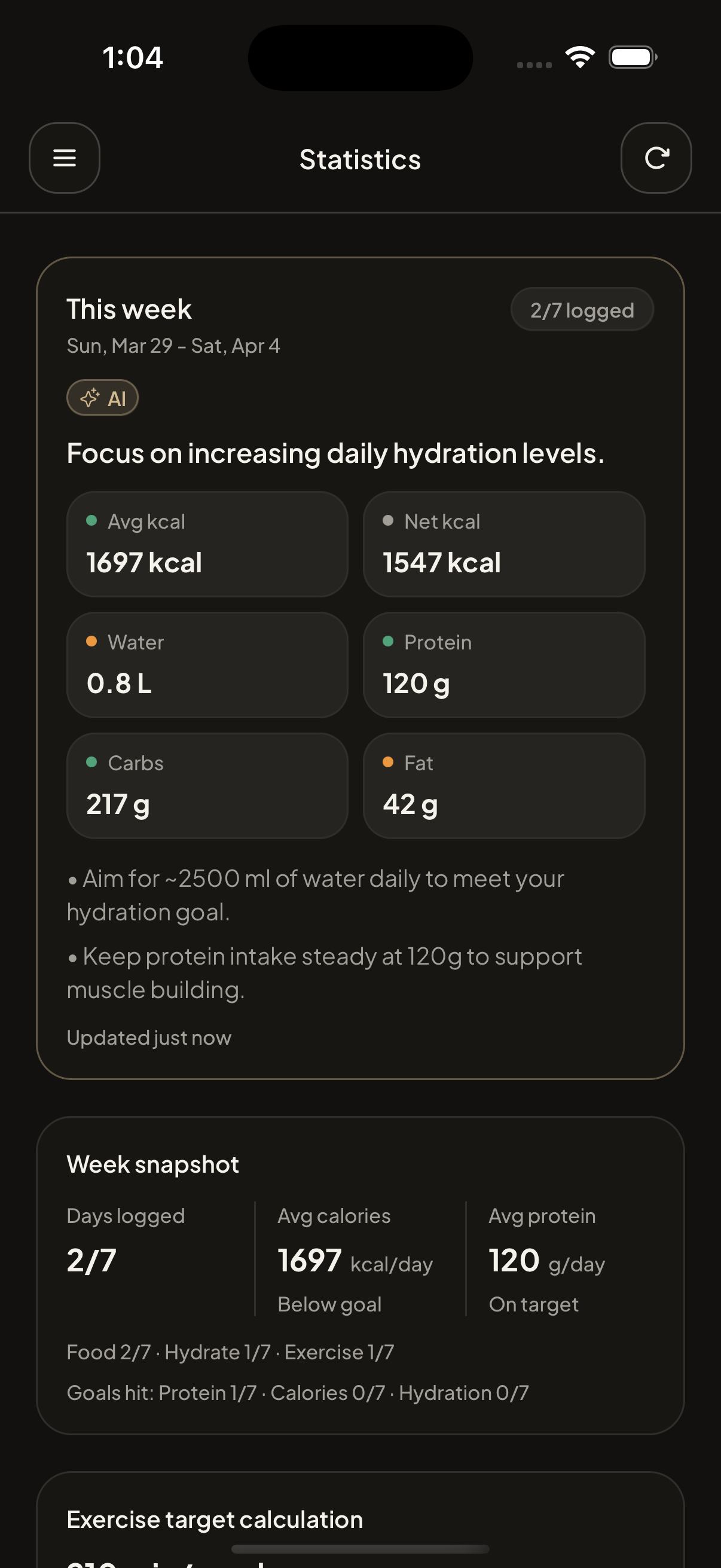
Switch metrics (overall, calories, protein, hydration, exercise, weight), read bar and line charts for the last seven days, and scan the weekly AI insight at the top.
Set calories, macros, hydration, and target weight in settings. Optional meal reminders nudge you to log; coach tips respond to whether you are on track or over for the day.
Flow
The dashboard centers on one field: describe food, water, a workout, or weight. The backend parses intent and estimates numbers so you are not filling grids before you have logged anything.
Parsed entries land in the combined summary card, hydration controls, macro and fiber progress, optional weight row, coach block, and the scrollable activity list for that date.
Open Stats for the rolling week: per-metric tabs, charts, consistency-style readouts, and a generated weekly blurb so patterns are obvious without a spreadsheet.
This week
Coach note
Small adjustments beat resets.
If protein stays strong and hydration lands earlier in the day, the evening trend is usually easier to manage. That is the kind of feedback loop Sidekick is built for.
Rhythm
Describe it in one line. If the model misses, you get a short hint and can try again.
Parsing turns your text into food lines, exercise, water, or weight on the right date. Edit or delete from the activity feed when you need to correct detail.
Check the dashboard for the day you care about, open Stats for the week, adjust goals in settings, and use meal reminders and coach tips when you want a nudge.